How to Safely Lower a High ORP Level in Your Pool

A quick glance at the automated chemical screen reveals a flashing number climbing past 800 millivolts, far higher than normal. To bring that number down quickly, shut off the chlorine feeder and pull back the pool cover so outdoor sunlight can break down the excess sanitizer. Running fresh water into the deep end or adding a small dose of chlorine reducer also drops the level when sanitizer is dangerously high.
The best fix depends on what caused the spike in the first place. Acidic water with a low pH drives the meter sky-high even when chemical levels are fine, while a dirty sensor tip coated in sunscreen oils can report a false alarm. The amount of chlorine sun shield in the pool also changes how fast the number moves. Checking those few basics first will show whether to adjust the water or simply wipe down the probe.
What should your pool ORP number be?
Your pool ORP reading measures the real-time work rate of your sanitizer. The acronym stands for oxidation reduction potential, which represents the sanitizer strength reading of your water. Digital monitors show this value in millivolts, which is the number shown on the digital meter connected to your pool system. While chemical parts-per-million checks show how much chlorine sits in the water, the millivolt score tells you how fast that sanitizer actively destroys bacteria, algae, and organic debris.
For a residential swimming pool, an ideal sanitizer strength reading sits between 650 and 750 millivolts. When your digital display holds steadily around 700 to 720 millivolts, your pool water stays clean, sanitized, and pleasant to swim in. At this level, active chlorine sanitizes the pool without tearing up equipment or burning your eyes.
When the meter climbs above 800 millivolts, the water becomes excessively aggressive. Think of chlorine like a car engine. The parts-per-million reading tells you how much fuel is in the gas tank, while the millivolt reading tells you how fast the engine runs. At 850 millivolts or higher, the engine is redlining. Water that hot with oxidizing energy starts to bleach vinyl liners, break down soft rubber pump seals, degrade O-rings, and irritate human skin.
Knowing your target number gives you a clear boundary. If your controller beeps with an alarm or shows a value near 850 or 900 millivolts, you need to bring that number down to protect both your pool gear and your swimmers.
How do you lower your pool ORP right now?
Bringing down a high millivolt reading requires cutting off active sanitizers and giving the water time to stabilize. Follow these steps in order to reset your water balance safely:
- Shut off your chlorine feeders immediately. Walk over to your equipment pad and switch off your automatic chemical feeder, liquid chlorinator, or salt water chlorine generator. If you use a floating dispenser or inline tablet feeder, remove the chlorine tablets and place them in a clean plastic bucket. Cutting off the supply stops the millivolt number from climbing higher.
- Pull back pool covers to expose the water. Direct sunlight is one of the fastest natural tools for clearing excess sanitizer. Ultraviolet light from the sun quickly degrades free chlorine that is working without protection. Pull your solar blanket or safety cover completely off the pool deck and let the midday sun shine directly onto the water surface.
- Check your pH and free chlorine levels. Grab a reliable dropper kit or dip strip to measure your base water chemistry. You need to know whether the high millivolt score comes from a massive dose of chlorine or an acidic shift in your water balance. Look closely at both your pH and your cyanuric acid, which acts as a chlorine sun shield against rapid breakdown.
- Dose with sodium thiosulfate if chlorine is extreme. If your free chlorine measures above 10 parts per million alongside an elevated millivolt reading, you can add sodium thiosulfate, which works as a fast-acting chlorine reducer. Measure out a small dose based on your total pool volume, dissolve it in a clean bucket filled with pool water, and pour it slowly around the pool perimeter. Add small amounts gradually, because overshooting will wipe out your chlorine completely.
- Dilute the pool with fresh tap water if needed. If your sanitizer and stabilizer levels are both off the charts, draining a few inches of pool water and refilling with fresh tap water helps reset the balance. Run your hose into the pool while running your pump to blend the fresh water in smoothly. Proper water flow keeps chemicals mixed, so you may want to adjust pool skimmer suction to pull balanced water through the plumbing evenly.
- Keep the circulation pump running. Run your filtration pump continuously for at least two to four hours after making any adjustment. Flowing water carries chemicals past your monitoring probes, giving you an accurate reading. If your system seems sluggish, take a moment to confirm that your pump basket and skimmers remain clear so your water moves without restriction. If water movement stops entirely, you may need to learn how to unclog a pool pump to clear out hidden blockages.
Why does low pH make ORP spike so high?
Many pool owners see their millivolt numbers jump unexpectedly after pouring acid into the pool. This happens because pH directly controls the strength and behavior of free chlorine in the water. Chlorine does not act as a single compound when dissolved. It splits into two distinct substances: hypochlorous acid, which is an aggressive sanitizer, and hypochlorite ion, which works much more slowly.
When pool water turns acidic and drops below a pH of 7.2, almost all available free chlorine transforms into aggressive hypochlorous acid. Because hypochlorous acid oxidizes contaminants rapidly, the probe reads an intense electrical potential. The digital screen displays a massive millivolt number, often jumping from 720 straight to 850 millivolts, even though you never added an extra drop of chlorine.
Pool owners often mistake this high reading for an overdose of sanitizer. They might reach for chemicals to neutralize chlorine, which only creates a new headache when the water later turns green. In reality, the chlorine level might sit at an ideal two to three parts per million, but the acidic water causes the probe to register extreme voltage.
To solve an acid-driven spike, check your pH reading first. If the water measures below 7.2, add sodium carbonate (soda ash) or sodium bicarbonate to lift the pH back to the ideal zone between 7.4 and 7.6. As the water neutralizes, active hypochlorous acid shifts back into a gentle balance. The millivolt score on your screen will drift down into the safe 700 to 740 range without removing any chlorine.
Is your ORP sensor giving a false reading?
Before you dump chemicals into your swimming pool to adjust the water, verify that your monitoring probe is telling the truth. Digital sensors spend months submerged in flowing pool water, which exposes their delicate parts to oils, sunscreen, minerals, and organic debris. A dirty sensor tip creates false electrical readings that mislead your automated equipment.
- Inspect the sensing tip for physical grime. Turn off the equipment breaker and unscrew the sensor from its plumbing tee. Look at the tiny band or glass bulb at the tip. If you see white calcium crust, oily residue from suntan lotion, or green algae film, the sensor cannot read water voltage accurately.
- Clean the probe tip gently. Soak the tip in warm water mixed with mild liquid dish soap for five minutes to break down body oils. Use a very soft toothbrush to lightly wipe the metal band. Never scrub the tip with steel wool, abrasive pads, or hard tools, because scratches ruin the precious metal surface permanently. For stubborn mineral scale, dip the tip into a mild vinegar solution for two minutes, then rinse it thoroughly with clean distilled water.
- Watch for sluggish sensor reactions. A healthy sensor reacts to chemical adjustments within a few minutes of water circulation. If your monitor holds frozen at 850 millivolts for hours despite adding fresh water, or if the number swings wildly by 100 millivolts in seconds, the probe is likely fouled or failing.
- Check for stray electrical voltage. Pool pumps, salt cells, and underwater lights share electrical grounding paths. If a motor loses proper bonding, tiny stray electrical currents can travel through the pool water. The sensor picks up this stray energy and registers an artificially high millivolt reading. Turn off auxiliary pumps for two minutes to see if the screen reading drops suddenly.
When is it safe to swim in the pool?
You should keep everyone out of the water until the sanitizer strength reading drops back into a normal, balanced range. Swimming in water with an extremely high millivolt score can irritate your body and ruin your swimwear. The water acts as a strong bleaching agent that strips natural protective oils from human skin and hair.
Never allow anyone to swim if your digital monitor displays an ORP reading above 780 millivolts. At levels near 800 millivolts and higher, swimmers frequently experience red, burning eyes, scratchy throats, and itchy rashes. Children and pets are especially sensitive to over-chlorinated, hyper-oxidizing water. Swimmers who open their eyes underwater in high-voltage pools often end up with severe discomfort that lasts for hours.
Before letting friends or family jump in, confirm three specific numbers on your manual water checks:
- Your free chlorine measures between 1.0 and 4.0 parts per million, and never above 5.0 parts per million.
- Your pH sits firmly between 7.2 and 7.8, with 7.4 to 7.6 being the ideal comfort sweet spot.
- Your digital monitor displays an ORP value between 650 and 750 millivolts.
Once all three numbers line up, the water is balanced and safe. Take a quick sniff of the air above the surface as a final precaution. The pool area should smell clean and fresh rather than sharp or chemically pungent. When the water looks crystal clear, feels soft, and shows normal numbers across your meter, you can reopen the pool for swimming.
FAQs
Can direct sunlight lower your pool ORP naturally?
Direct sunlight lowers pool millivolt readings by breaking down free chlorine through ultraviolet radiation. Uncovering the pool on a bright, sunny afternoon burns off excess oxidizers within a few hours. This natural method works best when your pool has low levels of cyanuric acid, which normally shields sanitizer from sun degradation.
Why did your ORP climb after adding shock?
Adding pool shock introduces a concentrated dose of oxidizer directly into the pool water. This surge instantly increases the sanitizer strength reading, driving your digital display past 800 millivolts. The number will drop back down naturally over the next 24 to 48 hours as the shock consumes organic contaminants and sunlight breaks down the leftover sanitizer.
Does stabilizer keep ORP from dropping?
Stabilizer, also known as cyanuric acid, acts as a chlorine sun shield that binds to free chlorine molecules. High stabilizer levels actually lower your millivolt reading by slowing down how fast chlorine works, even when chemical checks show plenty of sanitizer. If your stabilizer sits too low, your millivolt numbers will swing wildly between midday sun and cool night hours.
Will adding fresh water lower your ORP reading?
Adding fresh tap water dilutes the concentration of sanitizer and minerals currently floating in your swimming pool. Draining a small amount of pool water and topping it off with a garden hose reduces both free chlorine and total dissolved solids. This dilution naturally eases the millivolt reading back into a normal range without requiring chemical neutralizing agents.

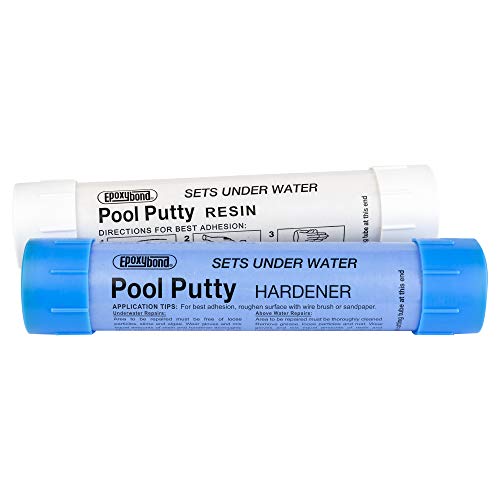
How to Refinish a Fiberglass Pool

How Do You Keep Raccoons Out of Your Pool?

How to Fix Cyanuric Acid in Your Pool

How to Shape a Pool Cue Tip to Stop Miscues

12 Best Automatic Vacuum For Intex Above Ground Pool of 2026 To Keep Vinyl Floors Spotless
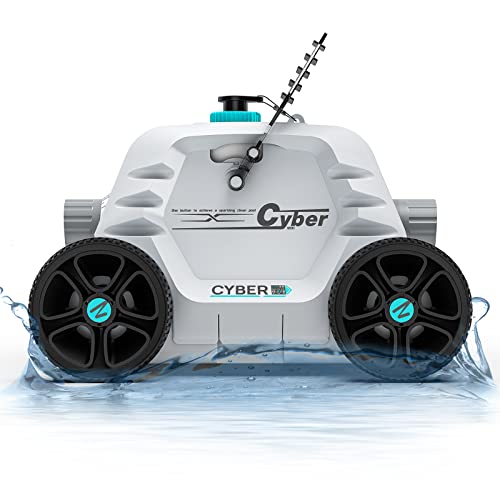
10 Best Automatic Pool Vacuum For Above Ground Pool of 2026 To End Manual Scrubbing

How Much Pool Clarifier Should You Use for Your Pool Size?

How Much Does a Pebble Tec Pool Cost to Build or Resurface?