
How to Use a Robot Vacuum Multiple Floors Easily

How to Use a Robot Vacuum Multiple Floors sounds simple at first glance, yet plenty of people run into frustrating roadblocks after bringing a robot vacuum home. One floor may clean beautifully while another ends up with incomplete maps, missed rooms, or navigation errors. Small setup details often make the difference between a smooth experience and a machine that seems to wander around without a plan. Understanding those details helps unlock the real value of automated cleaning.
Stairs create one of the biggest concerns. Nobody wants to carry a robot upstairs only to wonder whether it will remember the layout it learned yesterday. Many modern models can store several maps, but that feature works best when each level is scanned properly and saved separately. A little patience during the initial setup stage can prevent recurring issues that become annoying week after week.
Battery management also plays a surprisingly important role. Some people expect the robot to work exactly the same on every level regardless of charging location. Reality isn't always that straightforward. Positioning the charging dock strategically and understanding how your specific model handles multi-floor navigation can save both time and frustration.
Another common challenge involves floor transitions. Hardwood upstairs, carpet downstairs, area rugs in between, and furniture layouts that change from room to room all affect cleaning performance. Fortunately, most advanced units can adapt once they're configured correctly. Paying attention to mapping, obstacle placement, and cleaning zones helps the robot move confidently rather than repeatedly correcting itself.
Multi-floor mapping, room labeling, virtual boundaries, and customized cleaning schedules bring an entirely different level of convenience. Instead of treating every floor as one giant cleaning task, the robot can approach each level with its own plan. That means fewer interruptions, more consistent coverage, and a cleaner home without constant supervision.
Little adjustments often produce the biggest improvements. Clearing cables before mapping, keeping furniture relatively stable during the learning phase, and verifying saved maps can dramatically improve navigation accuracy. Those small habits don't require much effort, yet they help prevent many of the issues that people mistakenly blame on the robot itself.
Most importantly, realistic expectations matter. A robot vacuum isn't magic, but it can become a dependable cleaning partner once its environment is properly configured. Learning How to Use a Robot Vacuum Multiple Floors effectively allows each floor to receive consistent attention while reducing the repetitive chores that tend to pile up throughout the week.

- VC Score9.6
BCP Score is a ranking system developed by bestcleanerproducts.com. BCP Score has no relationship or impact from any manufacturers or sales agent websites. Learn more
- BrandSHELIKI
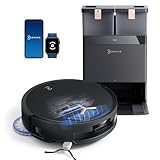
- VC Score9.4
BCP Score is a ranking system developed by bestcleanerproducts.com. BCP Score has no relationship or impact from any manufacturers or sales agent websites. Learn more
- BrandECOVACS
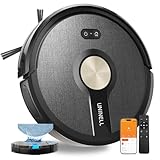
- VC Score9.4
BCP Score is a ranking system developed by bestcleanerproducts.com. BCP Score has no relationship or impact from any manufacturers or sales agent websites. Learn more
- BrandUNINELL HOME

- VC Score9.2
BCP Score is a ranking system developed by bestcleanerproducts.com. BCP Score has no relationship or impact from any manufacturers or sales agent websites. Learn more
- BrandKilgone

- VC Score9.0
BCP Score is a ranking system developed by bestcleanerproducts.com. BCP Score has no relationship or impact from any manufacturers or sales agent websites. Learn more
- BrandTikom

- VC Score8.8
BCP Score is a ranking system developed by bestcleanerproducts.com. BCP Score has no relationship or impact from any manufacturers or sales agent websites. Learn more
- BrandTikom

- VC Score8.8
BCP Score is a ranking system developed by bestcleanerproducts.com. BCP Score has no relationship or impact from any manufacturers or sales agent websites. Learn more
- Brandeufy

- VC Score8.6
BCP Score is a ranking system developed by bestcleanerproducts.com. BCP Score has no relationship or impact from any manufacturers or sales agent websites. Learn more
- BrandiMartine

- VC Score8.4
BCP Score is a ranking system developed by bestcleanerproducts.com. BCP Score has no relationship or impact from any manufacturers or sales agent websites. Learn more
- BrandLefant

- VC Score7.0
BCP Score is a ranking system developed by bestcleanerproducts.com. BCP Score has no relationship or impact from any manufacturers or sales agent websites. Learn more
- BrandShark
Last update on 2026-06-01 / Affiliate links / Images, Product Titles, and Product Highlights from Amazon Product Advertising API
How To Use A Robot Vacuum Multiple Floors
Two-story homes can make a robot vacuum feel smarter in one room and strangely confused in another. The trick isn’t just carrying it upstairs and pressing start, because how to use a robot vacuum multiple floors depends on maps, dock placement, floor type, and a few habits that keep the robot from losing its bearings. A clean setup gives you better coverage, fewer missed spots, and less babysitting. That matters even more in homes with pets, kids, rugs, stairs, or rooms that seem to collect crumbs out of thin air.
A robot vacuum usually needs a clear first run before it can clean with confidence. Shoes, charging cords, toys, loose socks, and lightweight plant stands can all confuse the mapping process. Give the robot a tidy path during its first scan so it can build a reliable floor map instead of guessing around clutter. After that, daily cleaning gets easier because the machine has a stronger sense of where walls, rooms, and furniture belong.
Most multi-floor mistakes happen because people rush the setup. They map the downstairs, carry the robot upstairs, and expect the app to magically sort everything out. Some models can store multiple maps, while others treat every new floor like a fresh space. Checking the app for multi-map support before you start saves a lot of head-scratching later.
Floor type matters too. Ceramic tile, hardwood, carpet, and area rugs all change how the robot moves, suctions, and returns to its path. For homes with slick kitchen floors or dusty entryways, compare cleaning needs with a focused option like best robot vacuum ceramic tile before assuming one setup fits every surface. The right match helps prevent weak pickup, noisy bumping, and annoying repeat passes.
Set Up Separate Maps Before Scheduling Cleanings
Separate maps are the backbone of how to use a robot vacuum multiple floors without constant app corrections. Start with one floor at a time and let the robot complete a full mapping run without interruption. Keep doors open to rooms you want included and close doors to storage areas, bathrooms, or messy corners you want excluded. This gives the robot a cleaner, more accurate layout from the start.
After the first map is saved, label rooms clearly in the app. Names like kitchen, hallway, bedroom, and living room make scheduled cleanings much easier later. Instead of cleaning an entire level, you can send the robot to handle the crumbs near the dining table or the pet hair in the upstairs hallway. That’s where a robot vacuum starts feeling less like a gadget and more like a routine that actually sticks.
Run the robot once or twice on each floor before trusting automated schedules. Small layout errors can show up after the first cleaning, especially around chair legs, low furniture, or tight corners. Adjust boundaries, room dividers, and no-go zones early so the vacuum doesn’t keep repeating the same bad habit. A little app cleanup now prevents missed areas and awkward navigation later.
Some homes need different settings for each floor. Downstairs may need stronger suction because of food crumbs and outdoor grit, while upstairs may need quieter runs around bedrooms. Save custom preferences if your app allows it. This makes multi-floor cleaning feel less fussy and more tailored to how the house actually gets dirty.
Move The Robot Without Confusing Its Location
Carrying the robot between floors works best after the map has already been saved. Place it in an open area that belongs to the selected floor map, then choose the correct map in the app before starting the run. Randomly setting it down in a hallway, closet, or tight corner can make it spin, pause, or misread its position. Give it a clear starting point and the robot has a much better shot at cleaning smoothly.
Many robot vacuums use landmarks to figure out where they are. Walls, furniture edges, doorways, and open spaces help the robot match its surroundings to the saved map. Moving large furniture right after mapping can throw things off, especially if the robot depends on visual or laser navigation. Keep major furniture stable during the first few runs to protect map accuracy.
Dock placement can be a little tricky in multi-floor homes. Some owners keep one charging dock on the main floor and manually carry the robot upstairs for separate cleanings. Others buy an extra dock if the model supports it, which can make the upstairs routine easier. Either way, the robot needs enough open space around the dock so it can return without hunting around like it forgot where it lives.
Messy floors can create problems that look like navigation bugs. Wet spills, sticky residue, or clogged drains nearby can pull dirt into walkways and leave the robot dragging grime around. For separate household cleanup issues, clear stubborn drain messes with how to use clobber drain cleaner before sending a vacuum across nearby bathroom or utility-room floors. Clean surroundings help protect brushes, wheels, and sensors.
Use No-Go Zones To Protect Stairs And Problem Spots
Stairs make people nervous, and fair enough. Most robot vacuums have cliff sensors, but relying on sensors alone isn’t always the smartest move. Dark rugs, glossy flooring, or unusual stair edges can confuse some models. Adding no-go zones or physical barriers around stair openings gives you extra peace of mind.
No-go zones also help with rooms that cause trouble. A tangle of charging cables near a desk, a lightweight bathroom mat, or a plant corner with loose soil can stop a cleaning run fast. Mark those areas in the app instead of clearing them every single day. The robot will work around them, and you won’t have to rescue it from the same mess over and over.
Pet bowls deserve special attention. Water bowls, kibble trays, and feeding mats can shift during cleaning, especially on smooth floors. Create a small boundary around the feeding area so the vacuum doesn’t shove bowls across the kitchen. This keeps daily cleaning cleaner, quieter, and less chaotic.
Area rugs can be hit or miss depending on thickness, fringe, and edge height. Thin rugs usually aren’t a problem, but shaggy rugs and tasseled edges can jam brushes or slow the robot down. Use no-go zones around rugs that regularly trap the vacuum. Protecting these trouble spots helps the robot focus on consistent floor coverage instead of wrestling with fabric.
Match Suction And Cleaning Modes To Each Floor
Different floors need different cleaning behavior. Tile and hardwood often need steady suction with careful edge cleaning, while carpet usually needs stronger suction and slower passes. A one-size setting can waste battery downstairs and still leave lint upstairs. Adjusting modes by floor gives better results without making the robot work harder than necessary.
Battery life becomes more noticeable in larger homes. A robot that cleans one level easily may struggle to finish another floor if suction is set too high. Use balanced suction for regular maintenance and reserve maximum power for rugs, pet zones, or crumb-heavy rooms. That simple tweak helps preserve runtime and reduces half-finished cleaning cycles.
Budget matters too, especially if you’re buying a backup vacuum for stairs, tight corners, or quick pickup jobs the robot can’t handle well. For small messes beyond the robot’s reach, compare a practical option like best stick vacuum under 50 instead of expecting the robot to handle every awkward spot. A robot vacuum is helpful, but manual touch-ups still make sense in real homes.
Scheduled cleaning should match how each floor gets used. Downstairs may need daily runs because of shoes, pets, cooking crumbs, and traffic from outside. Upstairs bedrooms may only need cleaning a few times a week. A smart schedule keeps floors cleaner without overworking the machine or annoying everyone with unnecessary noise.
Best Practices For Robot Vacuum Multi Floor Cleaning
Saved maps are only half the story. Long-term success with how to use a robot vacuum multiple floors depends on maintaining those maps and making small adjustments as your home changes. Furniture gets moved, rugs get replaced, and seasonal decorations suddenly create new obstacles. A robot that cleaned perfectly three months ago may need a quick map refresh to maintain reliable navigation and consistent coverage.
Many people assume mapping is a one-time task, but that's rarely true in active households. A new bookshelf, a relocated couch, or a rearranged home office can create navigation confusion. Running a fresh mapping session after major layout changes helps the robot adapt without repeatedly bumping into objects. That extra effort often prevents wasted battery life and unnecessary cleaning delays.
Room-specific schedules become more valuable over time. Kitchens, entryways, and pet areas tend to collect dirt faster than guest rooms or storage spaces. Let the robot focus more often on high-traffic zones while reducing cleaning frequency elsewhere. This creates a smarter routine that targets real-world messes rather than treating every room exactly the same.
Cleaning performance also depends on environmental conditions. Dust, pet hair, humidity, and even seasonal pollen can affect how much debris accumulates on each level. Homes with pools, for example, often see extra foot traffic carrying moisture and outdoor particles indoors. Maintaining water balance with guides such as lower orp level pool can help reduce related debris and moisture issues that eventually make their way onto floors.
Keep Sensors And Brushes Ready For Every Floor
Robot vacuums rely heavily on sensors. Dirty sensors can cause strange movements, missed rooms, incomplete cleaning patterns, and occasional docking failures. Wiping sensors every week takes only a few minutes, yet it protects navigation accuracy and keeps the machine performing more predictably.
Brush maintenance deserves equal attention. Hair, thread, pet fur, and carpet fibers gradually wrap around brush rollers. As buildup increases, suction performance often drops even though the motor continues working hard. Removing tangled debris helps maintain strong pickup performance and reduces strain on moving parts.
Side brushes experience wear differently depending on floor type. Hard floors can gradually bend brush arms, while thick carpet may accelerate wear. Replacing worn brushes before they become ineffective helps maintain edge cleaning and prevents debris from collecting along walls and baseboards.
Filter care is often overlooked. Dust-filled filters restrict airflow and reduce cleaning efficiency. Regular replacement schedules support healthy airflow, better dust collection, and more consistent performance across multiple floors without forcing the vacuum to compensate for restricted suction.
Handle Carpet And Hard Floor Transitions Smoothly
Mixed flooring creates challenges that many homeowners underestimate. A robot may move confidently across hardwood but hesitate at thick carpet edges or raised transitions. Adjusting cleaning settings by floor helps maintain efficient movement while reducing unnecessary retries.
Area rugs deserve special attention because not all rugs behave the same way. Thin rugs usually present few problems, while thick pile rugs can slow navigation or trap brush rollers. Testing different suction levels and cleaning patterns often reveals which settings deliver the best results. Those small adjustments support better floor coverage and less frustration.
Threshold height can also influence performance. Some robots handle moderate transitions without difficulty, while others struggle with elevated room dividers. Watching the first few cleaning runs helps identify locations that may need boundary adjustments. Early observation protects cleaning consistency before small issues become recurring problems.
Homes with several flooring types often benefit from customized room settings. Hard surfaces may require frequent sweeping, while carpeted bedrooms may benefit from deeper but less frequent cleaning. Tailoring settings by room allows the robot to deliver more practical results based on actual cleaning needs.
Reduce Interruptions During Scheduled Cleaning
Scheduled cleaning should fit household routines rather than compete with them. Running the vacuum during busy periods often leads to interruptions, blocked pathways, and unnecessary manual intervention. Strategic scheduling creates smoother operation and allows the robot to complete tasks with fewer obstacles.
Charging behavior becomes increasingly important in larger homes. Multi-floor cleaning sessions can consume significant battery life, especially when higher suction levels are active. Monitoring recharge patterns helps ensure the robot finishes planned tasks without repeatedly returning to the dock halfway through a cleaning cycle.
Temporary obstacles can also interfere with automation. Laundry baskets, shopping bags, children's toys, and seasonal decorations frequently appear in unexpected locations. A quick walkthrough before scheduled cleaning protects mapping accuracy and helps prevent navigation errors.
Noise management matters as well. Bedrooms, home offices, and shared living spaces may require different cleaning times. Assigning schedules that respect daily routines helps maintain convenience while still keeping floors consistently clean.
Know When A Secondary Vacuum Makes Sense
Robot vacuums handle routine maintenance well, but certain tasks still benefit from manual cleaning. Stairs, tight corners, furniture crevices, and spot messes often require a different approach. Recognizing those limitations creates more realistic expectations and prevents disappointment.
Commercial environments provide a useful comparison. Pharmacies, medical offices, and other professional settings often combine automated cleaning with traditional vacuuming because each tool serves a different purpose. Exploring equipment designed for larger cleaning demands, such as a commercial vacuum pharmacy, highlights how specialized tools complement rather than replace one another.
Even in residential settings, occasional manual touch-ups improve overall cleanliness. A lightweight vacuum can quickly handle corners, stairs, and upholstery while the robot manages routine floor maintenance. This combination supports better cleaning coverage without requiring constant effort.
Expecting one machine to solve every cleaning challenge usually leads to frustration. Pairing automation with targeted manual cleaning creates a more balanced strategy that adapts to changing conditions throughout the home.
Common Multi Floor Problems And Simple Fixes
Map duplication is one of the most common complaints. The robot may mistakenly create a second version of an existing floor after a navigation error or interrupted cleaning cycle. Deleting duplicate maps and re-running a clean mapping session usually restores proper organization inside the app.
Docking failures often stem from placement issues rather than hardware problems. Furniture placed too close to the dock can limit the robot's ability to approach correctly. Maintaining clear space around the charging station supports reliable docking and smoother operation.
Unexpected room skipping sometimes occurs after furniture changes or blocked pathways. Checking room boundaries and updating maps usually solves the issue. Small corrections often restore complete cleaning routes without requiring extensive troubleshooting.
Battery concerns can appear more serious than they really are. Aging batteries naturally lose capacity over time, especially in larger homes with frequent cleaning schedules. Monitoring runtime trends and replacing batteries when needed helps preserve consistent multi-floor performance and dependable cleaning results.


How to Refinish a Fiberglass Pool

How Do You Keep Raccoons Out of Your Pool?

How to Fix Cyanuric Acid in Your Pool

How to Shape a Pool Cue Tip to Stop Miscues

Best Far Infrared Sauna Sauna Heats: Top Picks of 2026

11 Best Far Infrared Sauna Carbon Fiber Heaters of 2026 For Balanced Full-Body Heat

11 Best Carbon Far Infrared Sauna of 2026 For Even Heat

10 Best Bluetooth Speaker For Sauna of 2026 For Heat and Steam


