
What Is the Average Lifespan of a Dyson Vacuum Cleaner?

Most people assume a high-end vacuum should easily clean floors for a decade, but a cordless stick model typically lasts four to six years. A corded upright can reach seven to ten years, though battery-powered units usually need a fresh power pack after two to four years of regular use. When suction drops or the machine cuts out, the motor is rarely the real culprit.
Daily habits make a major difference in that timeline. Leaning on the highest suction setting strains the battery cells with excess heat, while sucking up fine construction dust or damp messes can ruin internal parts. Rinsing the filters once a month and clearing hair from the floor roller keeps air moving freely and protects the motor. Here is how to tell whether an aging machine needs basic upkeep, a fresh battery, or an actual replacement.
Expected Lifespan for Cordless Stick and Corded Upright Models
A cordless stick vacuum typically lasts between 4 and 6 years with regular household use. In comparison, a corded upright Dyson often reaches 7 to 10 years. That gap comes down to power delivery and mechanical wear.
Cordless stick vacuums rely on rechargeable lithium-ion battery packs. Every time you clean a room, drain the battery, and place it on the charger, the internal chemistry degrades slightly. Even if the digital motor stays healthy, the battery pack loses runtime after a few years. Stick models are also designed to be lightweight, which means their clear bins, wand latches, and rubber seals are thinner and absorb impact when bumped against furniture.
Corded upright machines are built differently. Because they plug directly into a wall outlet, they do not suffer from battery fade. Their motors are larger, heavier, and run on steady line voltage without overheating. The thick plastic shells, sturdy wheels, and heavy floor nozzles on uprights can easily survive a decade of use across thick carpet. Unless an upright vacuum inhales water or burns out a bearing, the core machine runs for many years.
The Battery Timeline and How to Spot a Failing Pack
On any cordless vacuum, the rechargeable battery pack is almost always the first part to wear out. Most Dyson stick batteries last between 2 and 4 years before runtime drops noticeably. This is normal behavior for lithium-ion power cells, similar to the battery in a smartphone.
How you run the machine changes this timeline dramatically. Dyson cordless stick vacuums feature multiple power settings, including Boost mode (the highest suction setting). Running your vacuum on Boost mode pulls heavy electrical current from the battery pack within minutes. This rapid drain creates high internal heat, degrading battery cells much faster than normal cleaning. If you use Boost mode for every cleaning session, your battery pack might struggle to reach two years. Using the standard suction setting keeps the battery cool and helps it last closer to four years.
Spotting a dying battery is simple. The clearest sign is an abrupt drop in runtime. If your machine used to clean several rooms on a single charge and now dies after two minutes, the cells can no longer sustain a load. Also, check the indicator light on the battery casing. A healthy machine shows a solid blue light. If the light flashes red repeatedly, the battery has failed and will no longer accept a charge.
Steps to Clear Clogs and Stop Motor Pulsing
Many owners assume their vacuum motor died when the machine suddenly begins pulsing (the motor revving on and off in short bursts) before shutting down. This pulsing sound is not a broken motor. It is an intentional safety feature designed to protect the motor from overheating when airflow gets blocked. Follow these five steps to clear the blockage.
- Empty the clear dust bin and tap out the cyclone section. A dust bin filled past the maximum line stops dirt from spinning freely inside the cyclone (the clear dust bin and cone section). When dust backs up into the upper mesh shroud, airflow drops instantly. Open the bottom release latch over a trash can, shake out the debris, and use a dry cloth to wipe away lint caked around the metal mesh shroud.
- Wash the filter in cold water and let it dry completely. A dirty filter is the most common cause of motor pulsing. Twist the filter unit off the machine, tap loose dust into a trash can, and rinse it under cold tap water without soap. Squeeze the filter gently until the water runs clear. Let it air dry for at least 24 hours. Never reinstall a damp filter, because moisture pulled into the motor will destroy internal electronics.
- Inspect the extension wand by looking through it toward a light. Disconnect the wand from both the handle and the cleaner head (the floor nozzle with the spinning brush bar). Hold the tube up to your eye and look through it toward a light source. Dryer sheets, pet fur, and cardboard scraps often bridge the tube. Push a wooden broom handle gently through the pipe to dislodge the clump.
- Check the cleaner head and the spinning brush roller. Turn the floor nozzle upside down and check the intake opening. Long hair and pet fur wrap around the spinning brush roller, creating friction that slows the roller motor and trips the electrical cutoff. Turn the end cap latch with a coin, slide the brush roller out, and cut away tangled hair with scissors. Clear any debris lodged in the flexible neck joint right behind the roller.
- Check the small inlet flap near the machine handle. Remove the wand completely and look directly into the entry port on the vacuum body where the wand clicks into place. Inside sits a small rubber flap designed to stop dirt from falling back out. Sometimes a piece of plastic or a wrapper wedges behind this flap, holding it shut. Push the flap gently with your finger to confirm that it swings open freely.
Once all five zones are clear and the filter is dry, reassemble the vacuum and press the trigger. In most cases, the pulsing stops and full suction returns immediately.
Everyday Care Habits That Double Machine Life
Keeping a vacuum running for years comes down to avoiding a few common household mistakes and performing quick maintenance once a month.
- Wash your filters once a month with cold tap water. Fine dust fills the microscopic pores of the filter material. When the filter chokes, the motor has to spin harder and run hotter to pull air. Rinse the filter monthly, never use detergent, and never dry it on a hot radiator or in a tumble dryer, which warps rubber seals.
- Keep the machine away from moisture. Never vacuum standing water, damp carpet cleaner foam, or wet spills. Moisture mixes with dry dust in the cyclone, forming sludge that blocks airways and enters the motor casing. For wet pet messes or soaked carpet spots, use a dedicated carpet cleaner for deep stain removal instead of risking your dry stick vacuum.
- Never vacuum fine construction dust or fireplace ash. Drywall dust, plaster powder, and wood soot are so fine that they pass right through plastic cyclones, grinding down bearings and destroying motor life quickly. Use a shop vacuum with a high-efficiency bag for home renovation debris.
- Clear threads and hair off the spinning brush roller. When hair wraps tightly around the ends of the roller, it squeezes into the bearing caps. Friction heats the plastic roller axle, melting the housing and burning out the cleaner head motor. A quick check with scissors every two weeks prevents permanent nozzle damage.
- Store your vacuum at room temperature. Leaving a cordless vacuum mounted in an unheated garage during winter or on a sunlit porch during summer degrades the battery pack quickly. Lithium cells hold their capacity longest when kept at standard indoor temperatures.
Fix or Replace: Deciding What to Do with an Aging Dyson
When an older vacuum starts acting up, you face an important decision: spend money on replacement parts, or invest in a brand-new cleaner? Making the right choice comes down to figuring out which part failed and comparing the repair cost against the age of the machine.
If your machine is under four years old and the motor runs well but stops after a couple of minutes, a battery swap is almost always the best move. Replacement batteries usually cost between thirty and one hundred dollars. Installing a new battery takes only a few minutes, requiring two or three small screws on older models or the push of a red lever on click-in models. The machine then runs like new for another several years.
Replacing a worn filter, a cracked clear dust bin, or a jammed spinning brush roller also makes sense. These parts clip on without tools and cost far less than a new vacuum. If the motor sounds healthy and the trigger clicks crisply, a simple wear part is worth fixing.
A full replacement is the better choice when the primary motor fails or the main plastic housing cracks. A failing motor often produces a sharp burning-plastic smell or high-pitched screeching from inside the handle assembly. If the vacuum body has taken heavy drops that cracked the cyclone seals, the machine will leak air constantly and never produce full suction again. When repair costs approach half the price of a current model, replacing the machine is the practical choice.
What to Look For If You Need a Replacement Floor Nozzle or Vacuum
If your vacuum has reached the end of its useful life or you need to replace a damaged floor nozzle, choosing the right configuration will prevent early wear on your next machine.
Start by evaluating your home flooring. If you have mostly hardwood, laminate, or tile, look for a cleaner head equipped with a soft woven roller rather than stiff nylon bristles. Soft rollers gently wipe hard floors and pull in large debris without scratching delicate finishes. For homes with wall-to-wall carpeting or thick rugs, choose a floor nozzle with a motorized spinning brush roller that features adjustable suction gates. These sliding vents let you balance deep carpet cleaning with easy pushing, preventing the cleaner head from sealing itself to the rug and overheating the drive motor.
If you are replacing a whole cordless vacuum, examine the battery design. Machines with click-in batteries offer a longevity advantage over screw-in designs. A click-in battery releases with a simple push button, making it easy to swap in a fresh spare or replace an aging pack after a few years without tools.
Finally, confirm the bin capacity and overall weight. A larger dust bin means fewer trips to the trash can, which reduces stress on bin latches and rubber seals over years of weekly cleaning.

- VC Score10.0
BCP Score is a ranking system developed by bestcleanerproducts.com. BCP Score has no relationship or impact from any manufacturers or sales agent websites. Learn more
- BrandDyson
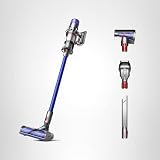
- VC Score8.8
BCP Score is a ranking system developed by bestcleanerproducts.com. BCP Score has no relationship or impact from any manufacturers or sales agent websites. Learn more
- BrandDyson

- VC Score8.8
BCP Score is a ranking system developed by bestcleanerproducts.com. BCP Score has no relationship or impact from any manufacturers or sales agent websites. Learn more
- BrandDyson

- VC Score8.8
BCP Score is a ranking system developed by bestcleanerproducts.com. BCP Score has no relationship or impact from any manufacturers or sales agent websites. Learn more
- BrandDyson

- VC Score8.4
BCP Score is a ranking system developed by bestcleanerproducts.com. BCP Score has no relationship or impact from any manufacturers or sales agent websites. Learn more
- BrandDyson

- VC Score8.4
BCP Score is a ranking system developed by bestcleanerproducts.com. BCP Score has no relationship or impact from any manufacturers or sales agent websites. Learn more
- BrandDyson

- VC Score8.4
BCP Score is a ranking system developed by bestcleanerproducts.com. BCP Score has no relationship or impact from any manufacturers or sales agent websites. Learn more
- BrandDyson

- VC Score8.4
BCP Score is a ranking system developed by bestcleanerproducts.com. BCP Score has no relationship or impact from any manufacturers or sales agent websites. Learn more
- BrandDyson

- VC Score8.0
BCP Score is a ranking system developed by bestcleanerproducts.com. BCP Score has no relationship or impact from any manufacturers or sales agent websites. Learn more
- BrandDyson

- VC Score7.8
BCP Score is a ranking system developed by bestcleanerproducts.com. BCP Score has no relationship or impact from any manufacturers or sales agent websites. Learn more
- BrandDyson
Last update on 2026-10-01 / Affiliate links / Images, Product Titles, and Product Highlights from Amazon Product Advertising API
FAQs
Can you replace the battery on any Dyson cordless vacuum?
Yes, all Dyson cordless stick vacuums feature replaceable battery packs. Depending on your model, the battery either unclips with a quick-release button or unscrews with two or three small screws located on the handle. Official replacement packs or certified third-party batteries are widely available and restore original runtime immediately.
Why does my Dyson smell dusty or musty when running?
A musty smell usually means that damp dust has caked inside the washable filter or behind the cyclone shroud. If someone vacuumed a damp patch or reinstalled the filter before it was completely dry, mildew forms quickly on the filter fibers. Washing the filter thoroughly and letting it dry for 24 hours in a warm room usually eliminates the odor.
Is it bad to leave a Dyson plugged into the charger all the time?
No, keeping your vacuum in its wall dock or connected to the charging cable does not damage the battery. Modern Dyson chargers contain intelligent charging circuits that automatically stop drawing power once the lithium battery pack reaches full capacity. The system switches to a low-energy monitoring mode to prevent overcharging and heat buildup.
How often should you replace the filter on a Dyson vacuum?
Washable filters generally last the lifetime of the machine if washed every month, but replacing them every 12 to 24 months is a good practice if you clean pet hair daily. Over time, microscopic dust permanently embeds into the pleated fibers, reducing airflow even after washing. A fresh filter restores full suction and keeps the motor running cool.


How to Refinish a Fiberglass Pool

How Do You Keep Raccoons Out of Your Pool?

How to Fix Cyanuric Acid in Your Pool

How to Shape a Pool Cue Tip to Stop Miscues

Best Far Infrared Sauna Sauna Heats: Top Picks of 2026

11 Best Far Infrared Sauna Carbon Fiber Heaters of 2026 For Balanced Full-Body Heat

11 Best Carbon Far Infrared Sauna of 2026 For Even Heat

10 Best Bluetooth Speaker For Sauna of 2026 For Heat and Steam


