
What Is the Average Lifespan a Cordless Vacuum Cleaner?

What is the average lifespan a cordless vacuum cleaner isn't just another question that pops up before buying a new appliance. It often appears after a battery starts fading, suction weakens, or replacement parts suddenly seem expensive. Plenty of people wonder whether their vacuum is nearing the end of its road or simply asking for a little maintenance. That uncertainty can make every cleaning session feel like a guessing game.
Battery technology, motor quality, cleaning habits, storage conditions, and routine care all play a part in determining battery longevity and overall durability. A cordless vacuum used for quick daily touch-ups on hardwood floors experiences different wear than one tackling pet hair, thick carpets, and stairs every single day. Small habits matter, too. Emptying the dust bin promptly, cleaning filters regularly, and removing tangled hair from the brush roll can add meaningful life to the machine instead of letting performance slowly slip away.
People often expect cordless vacuums to last forever because modern models cost more than traditional options. Reality lands somewhere in the middle. A quality unit can remain dependable for several years, yet batteries naturally lose capacity over time. That doesn't automatically mean the whole vacuum needs replacing. Sometimes swapping a battery or replacing inexpensive filters restores much of the original performance without stretching the budget too far.
Motor performance, battery chemistry, charging habits, and replacement part availability also shape the long-term ownership experience. Charging after every tiny cleaning job isn't always the smartest move, while leaving the battery completely drained for extended periods may shorten its usable life. Keeping the vacuum in a cool, dry location instead of a hot garage also helps protect sensitive electronic components that quietly influence reliability.
There's another angle many buyers overlook. Some cordless vacuums are designed with repairability in mind, making batteries, filters, and brush rolls easy to replace. Others become difficult or expensive to maintain once a single major component wears out. Looking beyond marketing claims and focusing on serviceability often leads to better long-term value than chasing the newest feature or the highest advertised suction number.
This guide explains the realistic lifespan of cordless vacuums, what causes them to wear faster, and which maintenance habits genuinely make a difference. Along the way, you'll gain a clearer picture of vacuum maintenance, common warning signs of aging, and practical ways to keep your cleaner working efficiently without wasting money on unnecessary replacements.

- VC Score9.6
BCP Score is a ranking system developed by bestcleanerproducts.com. BCP Score has no relationship or impact from any manufacturers or sales agent websites. Learn more
- BrandMigusky

- VC Score9.4
BCP Score is a ranking system developed by bestcleanerproducts.com. BCP Score has no relationship or impact from any manufacturers or sales agent websites. Learn more
- BrandUosogi
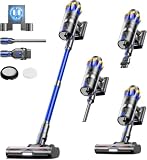
- VC Score9.2
BCP Score is a ranking system developed by bestcleanerproducts.com. BCP Score has no relationship or impact from any manufacturers or sales agent websites. Learn more
- BrandJELLYPIG

Cordless Vacuum Cleaner 55Kpa/650W/70Mins,1.8L Self Standing Stick Vacuum,Upgraded Vacuum Cordless
View on Amazon- VC Score9.0
BCP Score is a ranking system developed by bestcleanerproducts.com. BCP Score has no relationship or impact from any manufacturers or sales agent websites. Learn more
- BrandBesweep

- VC Score8.8
BCP Score is a ranking system developed by bestcleanerproducts.com. BCP Score has no relationship or impact from any manufacturers or sales agent websites. Learn more
- BrandTikom

- VC Score8.6
BCP Score is a ranking system developed by bestcleanerproducts.com. BCP Score has no relationship or impact from any manufacturers or sales agent websites. Learn more
- BrandiXlion

- VC Score8.6
BCP Score is a ranking system developed by bestcleanerproducts.com. BCP Score has no relationship or impact from any manufacturers or sales agent websites. Learn more
- Brandiwoly

- VC Score8.6
BCP Score is a ranking system developed by bestcleanerproducts.com. BCP Score has no relationship or impact from any manufacturers or sales agent websites. Learn more
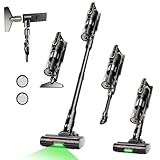
- BrandKARDV
- VC Score8.4
BCP Score is a ranking system developed by bestcleanerproducts.com. BCP Score has no relationship or impact from any manufacturers or sales agent websites. Learn more
- BrandTrucozie

- VC Score8.4
BCP Score is a ranking system developed by bestcleanerproducts.com. BCP Score has no relationship or impact from any manufacturers or sales agent websites. Learn more
- BrandDyson

- VC Score8.2
BCP Score is a ranking system developed by bestcleanerproducts.com. BCP Score has no relationship or impact from any manufacturers or sales agent websites. Learn more
- BrandTengXcel
Last update on 2026-07-23 / Affiliate links / Images, Product Titles, and Product Highlights from Amazon Product Advertising API
What Is The Average Lifespan A Cordless Vacuum Cleaner?
A vacuum that once zipped through crumbs, pet hair, and dusty corners can start acting tired before anyone feels ready to replace it. The battery drains faster, the suction gets moody, and the brush roll sounds like it has picked a fight with every strand of hair in the house. That is exactly where what is the average lifespan a cordless vacuum cleaner becomes a practical money question, not just a curiosity. Most cordless vacuums give their best years when battery care, filter cleaning, and daily use habits stay reasonably consistent.
Cordless Vacuum Lifespan Basics
Most cordless vacuums last around 3 to 5 years with normal household use, though sturdier models can stretch longer with careful maintenance. The battery is usually the first part to feel old, because lithium-ion packs naturally lose capacity after repeated charging cycles. That doesn’t always mean the whole vacuum is finished. A replaceable battery can give a tired machine a second wind if the motor, filters, and seals are still in decent shape.
Daily cleaning pressure changes the timeline quite a bit. A vacuum used for quick kitchen crumbs twice a week has a much easier life than one battling pet hair, carpet grit, cereal spills, and tracked-in dirt every day. Fine dust also matters because it can clog filters fast and force the motor to work harder. Once airflow gets restricted, suction loss shows up long before the machine truly dies.
Price does not guarantee a long lifespan, but it often reflects better battery design, sturdier plastics, stronger seals, and easier access to replacement parts. Cheaper cordless vacuums may still be useful for light cleaning, yet they can become frustrating once filters, brush rolls, or batteries are hard to replace. A practical buyer should look past shiny specs and check whether the brand sells replacement batteries, filters, and brush parts. That boring detail can save real money later.
The honest answer depends on how the vacuum is treated between cleanups. Leaving dust packed in the bin, storing the unit in a hot garage, and ignoring a tangled brush roll can shave time off its useful life. On the flip side, regular filter washing, proper drying, and smart charging habits help protect motor durability. A cordless vacuum is convenient, sure, but it still needs a little care to keep pulling its weight.
Why Batteries Usually Age First
The battery is the heart of a cordless vacuum, and it takes a beating. Every charge cycle slowly reduces how much energy it can hold, even with careful use. After a few years, many owners notice the vacuum still runs, but runtime drops from a full-house clean to a quick once-over. That shrinking runtime is one of the clearest signs that battery aging has started.
High-power modes make cleaning feel faster, but they also drain the battery harder. Using maximum suction for every crumb, every rug, and every dusty baseboard can wear the pack faster than switching modes based on the mess. Low or medium power is usually enough for hard floors and light debris. Saving boost mode for stubborn dirt helps protect battery lifespan without sacrificing everyday cleaning results.
Charging habits can make things better or worse. Modern lithium-ion batteries are smarter than old battery packs, but heat still hurts them. A vacuum stored near sunny windows, laundry room heat, or an unventilated closet may age faster than one kept in a cooler spot. Heat, heavy use, and constant deep draining create a rough trio for long-term battery health.
Replacement batteries change the value equation. A vacuum with a removable battery can stay useful after the original pack fades, especially if suction and airflow still feel strong. Built-in batteries are less forgiving because repair costs may push the owner toward replacing the whole machine. That difference matters for anyone trying to avoid tossing a vacuum just because one part has worn out.
Maintenance Habits That Add Years
Simple maintenance sounds dull until a vacuum loses suction halfway through cleaning. Filters collect dust, pollen, hair fragments, and fine debris, so they need regular attention. A clogged filter can make the motor run hotter and louder while picking up less dirt. Keeping filters clean is one of the easiest ways to protect both suction power and machine lifespan.
Dust bins also deserve more respect than they get. Overfilled bins block airflow and send debris into places it should not go. Emptying the bin before it reaches the max line helps the vacuum breathe properly. That small habit keeps airflow efficiency steady and reduces strain on internal parts.
Brush rolls tell the real story of household mess. Hair wraps around the roller, threads tighten near the ends, and grit can grind against moving parts. Cutting away tangles every week or two keeps the brush spinning freely and protects the floor head from unnecessary stress. For homes with shedding pets, this little job matters even more than people want to admit.
Wet filters are another sneaky problem. Washing filters is smart, but reinstalling them before they are fully dry can invite odor, clumping dust, and motor trouble. Letting washable filters dry completely before use protects motor health and keeps air moving smoothly. To handle stubborn cleaning clogs beyond cordless vacuums, use this repair-focused guide on fix bissell carpet cleaner suction for suction problems that come from blockages, seals, or dirty tanks.
Usage Patterns That Shorten Vacuum Life
Heavy messes wear cordless vacuums faster than light touch-ups. Fine construction dust, fireplace ash, damp debris, and large food scraps can clog filters quickly or damage internal pathways. A cordless stick vacuum is handy, but it is not always built for harsh cleanup jobs. Matching the machine to the mess protects internal components and keeps performance from sliding downhill.
Pet hair changes everything. Long hair wraps around rollers, dander fills filters, and tracked litter can scratch plastic parts inside the bin or floor head. A home with dogs or cats may need more frequent filter cleaning and brush roll maintenance than a pet-free space. For heavier shedding problems, compare practical options through best bagless vacuum dog hair before expecting a lightweight cordless model to handle every fur-heavy job alone.
Floor type also affects wear. Hard floors are generally easier on cordless vacuums, while thick carpets demand more suction and brush agitation. The motor works harder on rugs that hold grit deep in the fibers. Over time, that extra effort can affect battery runtime, brush roll wear, and overall reliability.
Storage habits matter more than they seem. A vacuum tossed into a cramped closet with the wand bent, accessories loose, and the dock blocked may suffer cracked clips or weak charging contact. Keeping the dock clean and the vacuum seated properly helps maintain stable charging. A tidy storage spot protects plastic joints, electrical contacts, and attachments that are easy to damage but annoying to replace.
Repair Or Replace Signals
A cordless vacuum does not fail all at once most of the time. It usually sends little warnings first. Short runtime, weak suction, strange smells, louder motor noise, and a brush that stalls too often all point to aging or poor maintenance. The trick is separating repairable problems from signs that the vacuum is nearing the end.
Suction loss is often fixable. A clogged filter, blocked wand, packed dust bin, or tangled floor head can make a decent vacuum feel useless. Cleaning those areas before shopping for a replacement is just plain sensible. Many vacuums recover noticeably once airflow blockages are cleared and filters are refreshed.
Battery failure is a different story. If the vacuum runs only briefly after a full charge, shuts off suddenly, or refuses to hold power, the battery is probably tired. A replaceable battery makes repair more reasonable, especially on a vacuum with strong suction and available parts. If the battery is sealed inside and service costs climb too high, replacement may make more sense.
Motor trouble is harder to ignore. Burning smells, grinding noises, overheating, or repeated shutdowns after cleaning the filters may point to deeper internal wear. That is where repair costs need a clear-eyed look. Spending nearly as much as a new vacuum on an older unit rarely feels good, especially if replacement parts are limited or the battery is already weak.
Cleaning Jobs That Need A Different Tool
A cordless vacuum earns its keep through convenience, but it should not be treated like every cleaning tool rolled into one. Pool debris, wet sludge, sticky spills, and heavy grit can overwhelm a machine designed for dry indoor messes. Using the wrong tool can clog filters, stress seals, and shorten the vacuum’s useful life. Choosing the right cleaner for the job protects vacuum longevity and saves a lot of frustration.
Outdoor cleanup is a good example. Debris around pools, patios, and wet surfaces often needs equipment built for water and heavier sediment. A cordless indoor vacuum should not be asked to handle that kind of mess. For pool cleanup after settling treatments, rely on best pool vacuum flocculant instead of risking damage to a regular cordless cleaner.
Wet messes deserve caution, too. Unless a cordless vacuum is clearly designed for wet and dry use, moisture can damage filters, electronics, and the motor pathway. Even a small amount of damp debris can turn dust into paste inside the machine. That sticky buildup makes airflow restriction worse and may create odors that refuse to leave.
Fine powders can be just as rough as wet messes. Baking flour, drywall dust, fireplace ash, and powdery debris can pass through weak filters or clog them almost instantly. A vacuum that repeatedly handles fine dust may lose suction faster and run hotter. Protecting the machine means using it for the jobs it was built to handle, not every mess that lands on the floor.
How Long Should A Cordless Vacuum Cleaner Last With Proper Care?
A cordless vacuum usually feels worn out long before it completely stops working. The early signs are small: shorter runtime, weaker suction, a brush roll that slows down, or a dust bin that seems to clog faster than it used to. That is why what is the average lifespan a cordless vacuum cleaner depends less on a single number and more on how the machine handles daily dirt, hair, storage, charging, and filter care. A well-kept cordless vacuum often stays useful for several years, while a neglected one can feel frustrating much sooner.
Battery wear gets most of the blame, but airflow problems can make a vacuum seem older than it is. A packed filter, blocked wand, or dirty brush head can mimic battery failure because the motor works harder while picking up less debris. Before replacing the whole unit, it makes sense to check filter condition, air pathways, and brush roll movement. Small maintenance checks can save money and keep a decent vacuum out of the trash.
Storage habits quietly shape lifespan, too. Heat, moisture, and cramped spaces can affect battery health, plastic clips, charging contacts, and seals. A cool, dry storage spot helps protect battery capacity and keeps attachments from getting bent or cracked. For home air systems that collect fine dust in a similar way, keep airflow cleaner with this practical guide to clean honeywell electronic air cleaner so dust buildup doesn’t keep circling back into freshly vacuumed rooms.
Replacement parts also change the long-term value. A vacuum with easy-to-buy filters, brush rolls, and batteries can stay practical after its original parts wear down. A sealed design with expensive parts may turn a small repair into a tough call. That is where repairability matters just as much as suction power.
Signs Your Cordless Vacuum Is Nearing The End
A fading cordless vacuum usually gives warnings before it quits. The most common clue is runtime dropping sharply even after a full charge. Another red flag is suction that stays weak after the bin is emptied and the filter is cleaned. If both happen together, the vacuum may be dealing with battery aging, worn seals, or deeper motor strain.
Noise can tell a lot. A higher-pitched whine may point to a blockage, while grinding or rattling can suggest brush roll or motor issues. Burning smells should never be ignored because they can signal overheating or debris stuck near moving parts. In that situation, stop using the vacuum and inspect airflow paths, roller ends, and filter seating.
Brush roll problems often show up in homes with long hair, pet fur, or rugs that shed fibers. A roller wrapped with hair forces the motorized head to work harder, which drains the battery faster and reduces cleaning power. Cutting away tangles helps preserve brush performance and keeps the floor head from wearing unevenly. It is a simple job, but it pays off.
Some storage problems look unrelated at first. Bulky bedding, spare mattress pads, and seasonal fabrics can shed lint or trap dust in closets where vacuums are stored. To reduce clutter and dust exposure around storage areas, use vacuum bags shrinking mattress for bedding that does not need to sit loose on shelves. Less closet dust means fewer fine particles getting pulled into filters during quick cleanups.
How To Make A Cordless Vacuum Last Longer
Good maintenance does not need to feel fussy. Empty the dust bin before debris reaches the max line, wash washable filters only as directed, and let every part dry fully before reassembly. A damp filter can turn dust into sludge, which hurts airflow and creates stale odors. Dry parts keep the motor breathing easier.
Use power modes with a little restraint. Boost mode is helpful for stubborn grit, but running it constantly drains the battery harder and creates more heat. Standard mode is usually enough for crumbs, dust, hardwood, tile, and quick daily passes. Saving stronger suction for the messes that need it helps protect battery life without making cleaning slower.
Keep the charging dock clean and stable. Dust on charging contacts can interrupt charging or make the vacuum seem unreliable. A loose dock, bent charger cable, or poorly seated battery can also cause annoying power issues. Clean contact points gently and make sure the vacuum sits properly after every use.
Replace wear parts before they drag down the whole machine. Old filters, cracked seals, worn brush rolls, and weak batteries can make a decent vacuum act worse than it is. Fixing those pieces can extend cordless vacuum lifespan and delay a full replacement. The smarter move is not always buying new, but knowing which part is actually failing.
What To Expect Before Replacing A Cordless Vacuum
A cordless vacuum is worth keeping if it still has strong suction after basic maintenance. If a fresh filter, cleared wand, clean brush roll, and full charge restore performance, the machine probably has life left. That is good news because replacing a battery or filter costs less than replacing the whole unit. Practical ownership means watching real performance, not just the age printed on a receipt.
Replacement makes more sense when several problems pile up at once. A weak battery, overheating motor, cracked body, missing parts, and poor suction together point to a vacuum that may be past its useful stage. Repairing one issue is reasonable. Repairing four issues on an older machine can quickly feel like throwing good money after bad.
Buying the next vacuum should start with maintenance access. Look for removable batteries, washable or affordable filters, available brush rolls, and a dust bin that is easy to empty without making a mess. Those details sound plain, but they affect long-term ownership cost every week. A vacuum that is easy to care for is more likely to stay useful.
The real answer to what is the average lifespan a cordless vacuum cleaner sits in the balance between design quality and everyday habits. Most people do not need the fanciest model, but they do need one that fits their floors, mess level, storage space, and patience for maintenance. Treat the vacuum like a small machine instead of a disposable gadget. Clean airflow, protect the battery, replace worn parts on time, and the machine has a much better shot at lasting beyond the frustrating middle years.


How to Refinish a Fiberglass Pool

How Do You Keep Raccoons Out of Your Pool?

How to Fix Cyanuric Acid in Your Pool

How to Shape a Pool Cue Tip to Stop Miscues

Best Far Infrared Sauna Sauna Heats: Top Picks of 2026

11 Best Far Infrared Sauna Carbon Fiber Heaters of 2026 For Balanced Full-Body Heat

11 Best Carbon Far Infrared Sauna of 2026 For Even Heat

10 Best Bluetooth Speaker For Sauna of 2026 For Heat and Steam


