
How to Safely Remove a Cordless Vacuum Battery

Taking a battery out of a cordless vacuum usually means pressing the release button near the handle base and sliding the pack straight out along its track grooves. What changes this process is whether the machine uses a quick-click latch or a fixed pack secured by a few small screws. When a release latch is present, a firm push unlocks the pack so it glides away from the handle without any heavy pulling.
The exact spot of that button changes between models, often hiding under the grip, along the spine, or near the motor casing. Thick carpet fuzz and fine grit can also wedge into the sliding tracks, making a released battery feel stubbornly stuck. Prying the plastic casing with a screwdriver risks snapping the delicate catches or damaging the metal contact pins inside. A few simple checks will help you free the pack smoothly without breaking any parts.
The Short Version
- Unplug and switch off: Disconnect the charger and confirm the power switch rests in the off position.
- Press the release button: Push down firmly on the latch near the handle or motor spine, then slide the pack straight out along its track grooves.
- Back out screws if needed: If your vacuum has no release button, use a small manual screwdriver to remove the screws securing the pack to the handle base.
- Never pry with metal: Avoid wedging knives or screwdrivers into plastic seams, which can crack the outer casing or short out the metal contact pins.
Safety First: Pre-Removal Checklist
Taking a few quick safety steps prevents unexpected motor starts, blown circuits, and physical injury. Cordless vacuums store significant energy in small lithium-ion cells. Working on a live or connected unit creates avoidable risks.
Check these items before touching the machine:
- Unplug the charger: Pull the charging adapter from the wall outlet and disconnect the charging lead from the vacuum body. Never remove a battery while electricity flows into the unit.
- Turn off the power: Make sure the power switch rests in the off position and disengage any continuous-run trigger locks.
- Let warm cells cool down: If you just vacuumed on high suction mode, the battery will feel warm. Lithium cells expand slightly under heat. Give the machine ten minutes to cool so the pack slides out smoothly.
- Work on a flat surface: Set the vacuum on a clean, dry table. Avoid working over deep carpets where dropped screws can vanish.
Spotting Your Battery Type: Click-In Latch vs. Screw-In Housing
Cordless vacuums use one of two main battery setups: a quick-release click-in pack or a screw-secured internal pack. Knowing which design you hold keeps you from pulling on plastic parts that are locked tight by hidden screws.
Click-In Latch Packs: Most modern stick vacuums feature an external pack built for fast swaps. Look for a visible release button (the mechanical latch that unlocks the pack) on the underside of the handle grip, along the spine of the motor body, or at the base of the battery case. The pack slides out along molded track grooves (the plastic slide rails that keep the battery aligned). If you see a spring-loaded button marked with an arrow or battery icon, you have a click-in model.
Screw-In Internal Packs: Some lightweight models secure the battery inside the handle. These models have no exterior release button. Instead, the battery pack forms part of the handle grip or rests inside a protective plastic outer case (the outer shell of the machine). Looking at the handle base reveals two or three deep screw holes. These units require a screwdriver to open. Forcing a screw-in pack by hand will snap the internal plastic tabs and ruin the vacuum handle.
How to Slide Out a Click-In Battery Step by Step
Releasing a click-in battery takes only seconds once you know where to press. Follow these steps to remove the pack without straining the plastic:
- Hold the vacuum steady: Lay the vacuum flat on your table or grip the upper motor handle firmly with one hand. Keep your fingers away from the power trigger.
- Press the release button completely: Push the release button down firmly with your thumb to pull the internal locking catch completely clear of the battery notch.
- Slide the pack along its track grooves: While holding the button down, grasp the battery pack and slide it straight out along its track grooves. Most packs slide backward toward the user or downward away from the motor body. Never twist the battery or yank it sideways, as twisting bends the guide rails.
- Check the metal contact pins: Look inside the empty slot at the metal contact pins (the small metal prongs that carry current between the battery and vacuum). Wipe away loose dust with a clean, dry microfiber cloth. Avoid touching the pins with bare fingers to prevent skin oils from gathering dirt.
How to Take Out a Screw-Secured Battery Pack Safely
If your vacuum relies on retaining screws instead of a quick-release latch, work slowly and use manual hand tools:
- Select the right screwdriver: Most screw-fastened handles use small Phillips-head or Torx screws. Choose a manual screwdriver that fits snugly into the screw head without slipping. Avoid electric drills, which can strip shallow screw heads or crack delicate plastic mounting posts.
- Remove the retaining screws: Turn the screws counterclockwise to back them out. Place loose screws into a small bowl or magnetic tray so they do not roll away.
- Ease the pack out of the handle base: With the screws removed, gently wiggle the battery pack to loosen it from the handle base. Pull the pack straight out in line with the screw posts. If the pack resists, check the seams with a flashlight to verify no hidden screw remains under a label.
- Disconnect the wiring plug: Many screw-in packs connect to the vacuum through a small plastic wire plug rather than fixed contact prongs. If you see wires joining the battery to the machine, squeeze the small plastic release clip on the plug and slide the connector apart. Never yank directly on the colored wires.
What to Do if the Battery Is Jammed and Will Not Slide Out
A battery that refuses to slide loose is a common headache. Over months of cleaning, fine drywall dust, carpet grit, and pet hair can wedge into the seam between the battery and the plastic outer case. A worn internal spring can also fail to drop the locking latch clear of the notch.
Use these gentle techniques to free a stubborn pack without breaking the plastic:
- Clear trapped dust from the seams: Use a can of compressed air or a soft brush to clean around the release button and along the seam where the battery meets the vacuum body. Clearing settled dust allows the button to travel its full depth.
- Wiggle along the track line: Press the release button down as far as it travels. While holding firm downward pressure, gently wiggle the battery back and forth along the direction of the track grooves. This movement breaks the friction of packed dust without snapping the rails.
- Tap with the heel of your hand: If the pack still sticks, hold the release button down and tap the back edge of the battery pack with the heel of your open palm. A firm, cushioned tap provides enough force to dislodge grit without cracking the plastic casing.
- Avoid prying with metal tools: Never force a flathead screwdriver or butter knife into the seam. Metal tools chew up plastic edges, snap locking tabs, and risk puncturing the lithium cells inside, which can spark an immediate fire.
Proper Handling, Standalone Charging, and Safe Battery Disposal
After taking the battery out of your cordless vacuum, handling the pack properly protects your home and keeps the cells healthy:
- Store away from heat and moisture: Keep detached lithium-ion battery packs in a climate-controlled room. High heat degrades the internal cells and shortens their usable life.
- Protect the open contact pins: Keep loose metal objects away from the battery terminals. Never drop a spare battery into a drawer full of loose keys, nails, or paperclips. A metal object bridging two contact pins can cause an instant short circuit.
- Charge on hard, flat surfaces: If your battery supports standalone charging with its own power port, place the pack on a countertop, desk, or tile floor while charging. Avoid charging on beds, couches, or deep rugs that trap heat.
- Spot swelling early: If the plastic outer case looks warped, bulging, or cracked, stop using the battery immediately. A swollen battery indicates internal chemical breakdown. Never plug a swollen pack into any charger.
- Recycle at designated drop points: Never throw lithium batteries into ordinary household trash. Trash truck compactors can crush the pack, triggering aggressive fires. Drop spent packs off at an electronics store recycling bin or a local hazardous waste center.
What to Look for in a Replacement Battery or Cordless Vacuum Setup
When an aging battery no longer holds a charge, removing it gives you the chance to evaluate your cleaning setup. If the motor, dust cup, and spinning brush roller on your floor nozzle still work like new, installing a fresh replacement battery pack restores full cleaning runtime for much less than buying a whole new machine. You can check the typical cost of a new cordless vacuum battery in 2026 to see how an OEM or compatible pack compares to replacing the vacuum.
When shopping for a replacement battery or considering a new cordless vacuum, keep these practical points in mind:
- Exact model matching: Cordless vacuums require matching voltage ratings and molded track grooves. Check the part number printed on your old battery case to confirm full compatibility before ordering.
- Dual-battery capability: If you clean larger homes, consider a cordless vacuum that includes two swappable click-in batteries. Having a second charged battery ready lets you swap packs in seconds and keep cleaning without waiting hours for a recharge.
- Independent charging ports: Look for battery packs that include a built-in charging socket. This feature lets you charge a spare pack on your counter while the vacuum cleaner hangs on the wall.
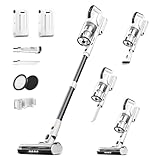
- VC Score9.0
BCP Score is a ranking system developed by bestcleanerproducts.com. BCP Score has no relationship or impact from any manufacturers or sales agent websites. Learn more
- BrandKlarpul

- VC Score9.0
BCP Score is a ranking system developed by bestcleanerproducts.com. BCP Score has no relationship or impact from any manufacturers or sales agent websites. Learn more
- BrandNADALY

- VC Score8.8
BCP Score is a ranking system developed by bestcleanerproducts.com. BCP Score has no relationship or impact from any manufacturers or sales agent websites. Learn more
- BrandFieety
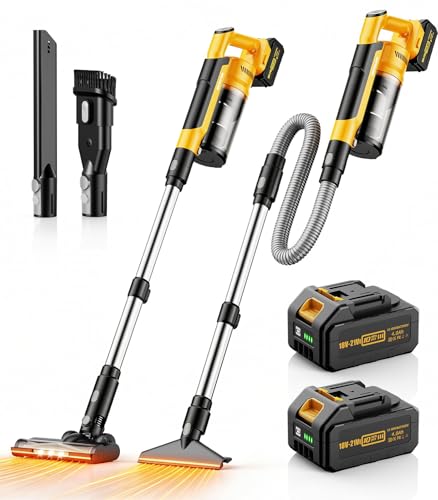
- VC Score8.8
BCP Score is a ranking system developed by bestcleanerproducts.com. BCP Score has no relationship or impact from any manufacturers or sales agent websites. Learn more
- Brandqimedo

- VC Score8.8
BCP Score is a ranking system developed by bestcleanerproducts.com. BCP Score has no relationship or impact from any manufacturers or sales agent websites. Learn more
- BrandNEWBULIG

- VC Score8.6
BCP Score is a ranking system developed by bestcleanerproducts.com. BCP Score has no relationship or impact from any manufacturers or sales agent websites. Learn more
- BrandCHEBIO

- VC Score8.6
BCP Score is a ranking system developed by bestcleanerproducts.com. BCP Score has no relationship or impact from any manufacturers or sales agent websites. Learn more
- BrandKARDV
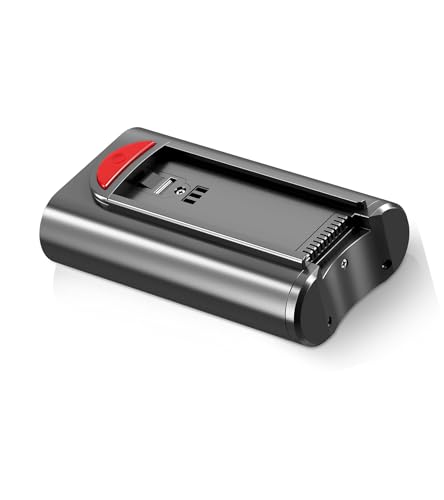
- VC Score8.4
BCP Score is a ranking system developed by bestcleanerproducts.com. BCP Score has no relationship or impact from any manufacturers or sales agent websites. Learn more
- BrandKARDV

- VC Score8.2
BCP Score is a ranking system developed by bestcleanerproducts.com. BCP Score has no relationship or impact from any manufacturers or sales agent websites. Learn more
- BrandBLACK+DECKER

- VC Score8.0
BCP Score is a ranking system developed by bestcleanerproducts.com. BCP Score has no relationship or impact from any manufacturers or sales agent websites. Learn more
- BrandDIFFULL
Last update on 2026-10-03 / Affiliate links / Images, Product Titles, and Product Highlights from Amazon Product Advertising API
FAQs
Where is the battery release button located on my vacuum?
On most click-in cordless stick vacuums, the battery release button sits near the bottom of the handle grip or on the back spine of the motor housing. It is usually a wide push button colored red or grey, often marked with an arrow or battery icon. If you find no button anywhere on the grip, look for recessed screw holes at the handle base instead.
Can I charge my cordless vacuum battery while it is detached?
You can charge a detached battery if the pack features its own direct charging port or if you have a standalone desktop charging dock. Many newer stick vacuums include a round charging pin socket right on the battery casing for off-machine charging. If your battery only features flat metal contact pins and lacks a plug inlet, it must be clicked into the vacuum to recharge.
Why is my cordless vacuum battery stuck and refusing to slide out?
A battery usually gets stuck because fine dust, pet hair, or dry carpet grit has packed into the narrow track grooves that guide the pack. Heat from heavy cleaning can also cause the plastic outer case to expand slightly. Press the release button down firmly, gently wiggle the pack along its track line, and tap the rear edge with the heel of your open hand to dislodge the grit.
How do I know if my vacuum battery is worn out and needs replacement?
Your vacuum battery needs replacement if its runtime drops sharply, such as dying within two or three minutes on low suction after a full overnight charge. You should also replace the pack right away if the plastic outer case looks swollen or warped, if the pack feels hot while sitting idle, or if the motor cuts off the instant you activate boost mode.


How to Refinish a Fiberglass Pool

How Do You Keep Raccoons Out of Your Pool?

How to Fix Cyanuric Acid in Your Pool

How to Shape a Pool Cue Tip to Stop Miscues

Best Far Infrared Sauna Sauna Heats: Top Picks of 2026

11 Best Far Infrared Sauna Carbon Fiber Heaters of 2026 For Balanced Full-Body Heat

11 Best Carbon Far Infrared Sauna of 2026 For Even Heat

10 Best Bluetooth Speaker For Sauna of 2026 For Heat and Steam


