
How to Open a Dyson V15 Vacuum Head Without Breaking It

Unlocking the cleaner head takes just a quick turn of the side latch or a slide of a release switch before pulling the roller straight out of its housing. The exact latch you will find changes based on the specific floor tool attached to your stick vacuum. Forcing the plastic tabs or prying with a knife will only crack the casing, but the right latch releases with almost no effort.
The standard carpet head features an end cap with an indented slot that twists counterclockwise with a coin, while the soft velvet roller for hard floors pops free with a sliding red latch. Clearing tangled hair or stuck debris only requires this simple outer release, so removing tiny internal screws is never necessary for regular maintenance. Here is how to safely release either roller without cracking the delicate plastic parts.
Identify Your Vacuum Head Type Before You Start
Before you grab a coin or touch any latches, you need to know which cleaner head is attached to your machine. Different vacuum packages ship with different floor tools, and each one opens through its own mechanism. Trying to open one model using the steps meant for another can easily snap the plastic locking tabs.
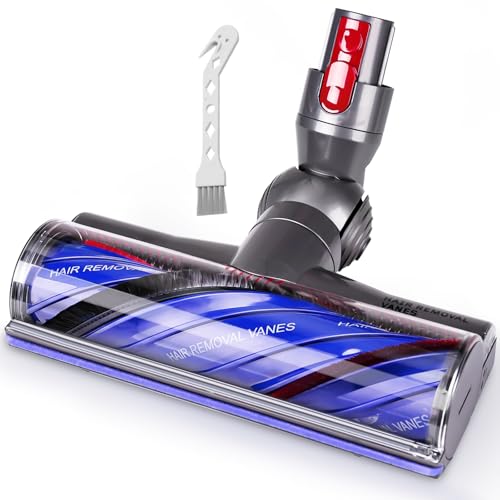
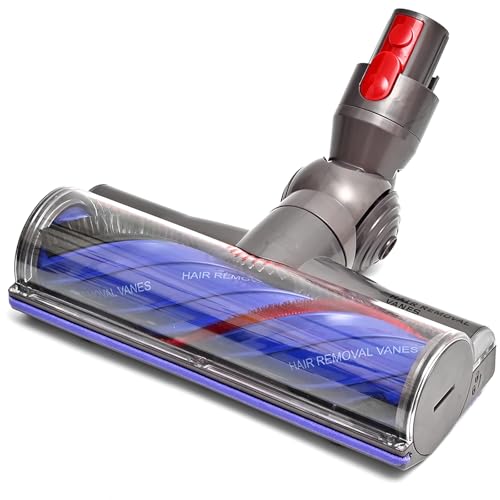
The first design is the Digital Motorbar (the standard carpet cleaning head). You can recognize this tool by its clear front window, stiff red and blue nylon bristles, and internal comb teeth designed to clear hair. This head uses a coin-slot lock on the side end cap (the side cover that locks the roller in place).
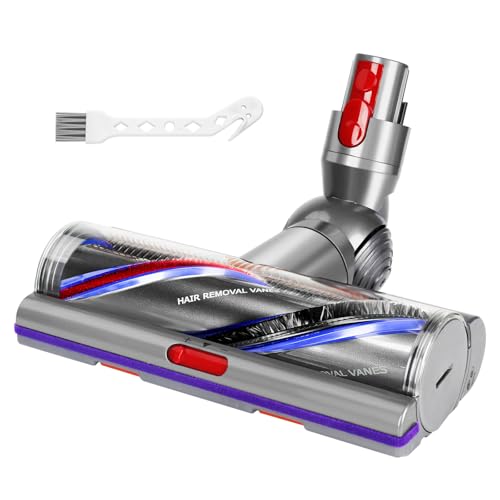
The second design is the Fluffy head (the soft velvet-like roller head for hard floors). This tool features a soft fabric roller with yellow, black, and green fibers, often paired with a green optical light. It does not have a coin slot. Instead, it relies on a red slider switch near the swivel neck.
Both tools let you slide the roller out sideways without taking apart the entire floor nozzle (the cleaner head assembly). Never try to pry off the top clear plastic window, because doing so will crack the housing.
Steps to Unlock and Open the Digital Motorbar Head
- Disconnect the cleaner head from the wand. Press the red quick-release latch on the wand and pull the floor nozzle free. Reason: Cutting electrical power prevents the motorized drive cog from spinning accidentally while your fingers are inside.
- Lay the head face down on a soft towel. Place the tool upside down on a flat surface with the roller opening facing up. Reason: A soft towel keeps the clear plastic casing from scratching against hard tables or floors.
- Find the side end cap. Locate the circular end cap (the side cover that locks the roller in place) on the side of the housing. Reason: This ensures you turn the removable roller lock rather than the permanent swivel joint.
- Insert a wide coin into the curved slot. Place a quarter or a thick metal washer flat into the center groove on the cap. Reason: A coin spreads force evenly across the channel, preventing the stripped plastic that screwdrivers cause.
- Turn the coin a quarter-turn counterclockwise. Twist the coin to the left until it clicks and aligns with the unlock icon. Reason: This quarter-turn disengages the internal retaining tabs so the cap releases without prying.
- Slide the end cap straight off the housing. Pull the unlocked cap outward along its guide track. Reason: Removing the cap clears the side exit tunnel so the roller can slide out.
- Pull the brush bar straight out of the casing. Grip the exposed end of the brush bar (the rotating roller that sweeps the floor) and pull it horizontally out. Reason: Pulling straight disengages the roller splines from the drive shaft without bending the motor axle.
- Wipe loose dirt out of the empty chamber. Run a dry microfiber cloth inside the open tunnel to clear lint and grit. Reason: Clearing the chamber prevents trapped dirt from grinding into the motor gears when you reinsert the roller.
How to Open and Remove the Fluffy Laser Cleaner Head
The Fluffy head (the soft velvet-like roller head for hard floors) opens without any coins or screwdrivers. It uses a built-in release latch designed for quick maintenance whenever the soft roller picks up dust or stuck debris.
First, disconnect the floor tool from the wand so no power can reach the unit. Flip the cleaner head upside down on your towel so the soft roller faces you. Near the back edge of the housing, right next to the flexible swivel neck, find the bright red slider switch.
Push this red slider firmly in the direction of the molded arrow. As you push, the side end cap (the side cover that locks the roller in place) pops open on a spring-loaded hinge. Swing the side cap open completely.
Grasp the plastic edge of the soft brush bar (the rotating roller that sweeps the floor) and slide it straight out of the housing track. If your tool has a smaller secondary roller bar along the rear seal, lift that bar straight out of its brackets. Never spray liquids directly into the optical laser lens on the front corner.
Cleaning and Washing Rules for Dyson V15 Rollers
Once the roller is out of the housing, follow strict washing rules. Putting water on the wrong component will ruin electrical circuits or cause bearings to seize.
- The soft Fluffy roller can be washed with cold water: Rinse the velvet roller under cold tap water while gently squeezing the fibers with your hands. Do not use dish soap, detergents, or hot water, which break down the adhesive holding the velvet strips to the core.
- The soft roller must dry fully for 24 hours: Stand the wet roller upright in a warm room with good airflow. Never reinstall a damp roller, because moisture can get sucked straight into the electric motor.
- The Digital Motorbar roller must stay dry: The carpet brush bar contains internal bearings and metal drive gears that rust if exposed to water. Wipe the plastic center with a dry cloth and pull tangled hair off the bristles by hand.
- The main floor nozzle housing must NEVER get wet: The plastic shell holds the direct-drive motor and wiring. Never submerge the floor tool in water. Wipe the inside of the empty roller tunnel with a dry cloth or a lightly damp rag wrung dry to the touch.
- The removable end caps stay dry: Wipe the side covers with a clean cloth. Verify that the small internal bearing spins freely without gritty resistance.
Keeping your brush roller clean also protects your battery. When hair chokes the bearings, the motor draws extra power to spin the brush. That extra strain drains your charge rapidly, leaving you wondering how much is a new battery for a cordless vacuum in 2026, when a jammed cleaner head is the real cause.
How to Free a Brush Bar That Is Completely Stuck
Sometimes you turn the locking cap all the way, but the brush bar refuses to slide out. This stubborn jam happens when long hair or synthetic rug fibers wrap tightly around the drive spindle.
As the vacuum runs, the roller spins at high speeds. That rapid movement creates friction heat, which can melt pet hair or synthetic threads into a solid plastic-like collar around the axle.
If your brush roller will not budge, follow these steps to free it safely:
- Never pry with screwdrivers or pliers: Forcing the roller with pliers or jamming a flat screwdriver into the gap will crack the plastic housing or bend the steel motor spindle.
- Cut along the recessed roller channel: Slide the blunt tip of nail scissors or a sewing seam ripper under the hair bundles along the groove on the roller bar. Cut straight down the line, then peel the strands away in clumps.
- Clear the bearing gap: Hair frequently packs into the narrow space between the roller end and the outer bearing. Use tweezers or a needle to pull those tight loops out.
- Wiggle the bar while pulling horizontally: Grip the roller firmly and wiggle it slightly up and down while pulling outward to help the splines slide past melted fibers.
- Inspect the star-shaped screws only if hair sits behind the drive cog: If hair has worked behind the motorized drive hub, use a dedicated disassembly screwdriver with a Torx bit (a star-shaped screw bit) to remove the bracket.
Choosing a Replacement Vacuum Head or Repair Tools
When plastic locking tabs snap, the coin slot strips, or the drive motor burns out from a severe jam, replacing the floor tool or getting dedicated repair tools is the safest solution. Checking a few key features ensures your replacement parts fit properly.
First, verify connector compatibility. Your vacuum uses a quick-release push-button neck that delivers power directly from the wand to the brush motor. Make sure any replacement head matches the standard stick vacuum connection, as tools for ultra-slim or commercial models will not click into place.
Second, look for heads with built-in anti-tangle combs. Upgraded cleaner heads feature plastic vanes behind the roller that continuously strip hair off the bristles, sending it straight into the dust cup before it wraps around the bearings.
Third, check the casing material and neck flexibility. Quality replacement heads use thick ABS plastic that withstands impacts with baseboards. Smooth 180-degree neck movement also keeps the machine nimble. If you like an easy-to-steer stick vacuum, you know that what is the lightest cordless vacuum cleaner in 2026 often comes down to how well the floor nozzle glides across floors.
Finally, look for a custom vacuum disassembly screwdriver set if you need to reach internal screws. Slim tools with extended star-shaped Torx drivers reach deep screw wells without stripping delicate screw heads.

- VC Score9.0
BCP Score is a ranking system developed by bestcleanerproducts.com. BCP Score has no relationship or impact from any manufacturers or sales agent websites. Learn more
- BrandHather

- VC Score8.8
BCP Score is a ranking system developed by bestcleanerproducts.com. BCP Score has no relationship or impact from any manufacturers or sales agent websites. Learn more
- BrandGeneric

- VC Score8.6
BCP Score is a ranking system developed by bestcleanerproducts.com. BCP Score has no relationship or impact from any manufacturers or sales agent websites. Learn more
- BrandOTTWL

- VC Score8.6
BCP Score is a ranking system developed by bestcleanerproducts.com. BCP Score has no relationship or impact from any manufacturers or sales agent websites. Learn more
- BrandAZYM
- VC Score8.6
BCP Score is a ranking system developed by bestcleanerproducts.com. BCP Score has no relationship or impact from any manufacturers or sales agent websites. Learn more
- BrandLhhTing
- VC Score8.6
BCP Score is a ranking system developed by bestcleanerproducts.com. BCP Score has no relationship or impact from any manufacturers or sales agent websites. Learn more
- BrandLemige

- VC Score8.6
BCP Score is a ranking system developed by bestcleanerproducts.com. BCP Score has no relationship or impact from any manufacturers or sales agent websites. Learn more
- BrandYivy
- VC Score8.4
BCP Score is a ranking system developed by bestcleanerproducts.com. BCP Score has no relationship or impact from any manufacturers or sales agent websites. Learn more
- BrandTivcroxs

- VC Score8.0
BCP Score is a ranking system developed by bestcleanerproducts.com. BCP Score has no relationship or impact from any manufacturers or sales agent websites. Learn more
- BrandOTTWL

- VC Score7.8
BCP Score is a ranking system developed by bestcleanerproducts.com. BCP Score has no relationship or impact from any manufacturers or sales agent websites. Learn more
- BrandWYWY.Wide
Last update on 2026-10-24 / Affiliate links / Images, Product Titles, and Product Highlights from Amazon Product Advertising API
FAQs
Do I need special tools to open the vacuum head for routine cleaning?
No special tools are needed for basic hair removal. You only need a coin or flat washer to turn the side lock on the carpet head, and your fingers to slide the release latch on the soft roller head. Screwdrivers are only necessary if you are taking apart internal motor brackets or deep housing screws.
Why is my cleaner head making a clicking noise after reassembly?
A clicking noise usually means the brush bar was not pushed all the way onto the motor drive splines before locking the end cap. The roller teeth are slipping against the motor cog. Slide the roller out, turn it slightly until the notched grooves match the motor shaft, push it in firmly, and lock the side cap again.
Can I run the vacuum without the brush bar installed?
You can power the vacuum on, but running the floor tool without a roller is not safe. Dirt will hit the bare drive spindle directly, which can ruin the internal bearings or clog the motor cog. Switch to a dedicated crevice tool or bare floor nozzle if you need straight suction.
How often should I open the head and clean the roller?
Opening the cleaner head once a month is enough for homes with light foot traffic. If you have shedding pets or long hair in the home, inspect and clear the brush bar every two weeks. Regular cleaning stops hair from wrapping tightly and melting into the drive spindle from friction heat.


How to Refinish a Fiberglass Pool

How Do You Keep Raccoons Out of Your Pool?

How to Fix Cyanuric Acid in Your Pool

How to Shape a Pool Cue Tip to Stop Miscues

Best Far Infrared Sauna Sauna Heats: Top Picks of 2026

11 Best Far Infrared Sauna Carbon Fiber Heaters of 2026 For Balanced Full-Body Heat

11 Best Carbon Far Infrared Sauna of 2026 For Even Heat

10 Best Bluetooth Speaker For Sauna of 2026 For Heat and Steam


